
AI receptionist for small business: answer every call, text and chat
What to expect from an AI front desk, what to ask before you buy, and how Growstream covers calls, texts, chat, email, booking and follow-up.
By the Growstream team · Published November 19, 2026
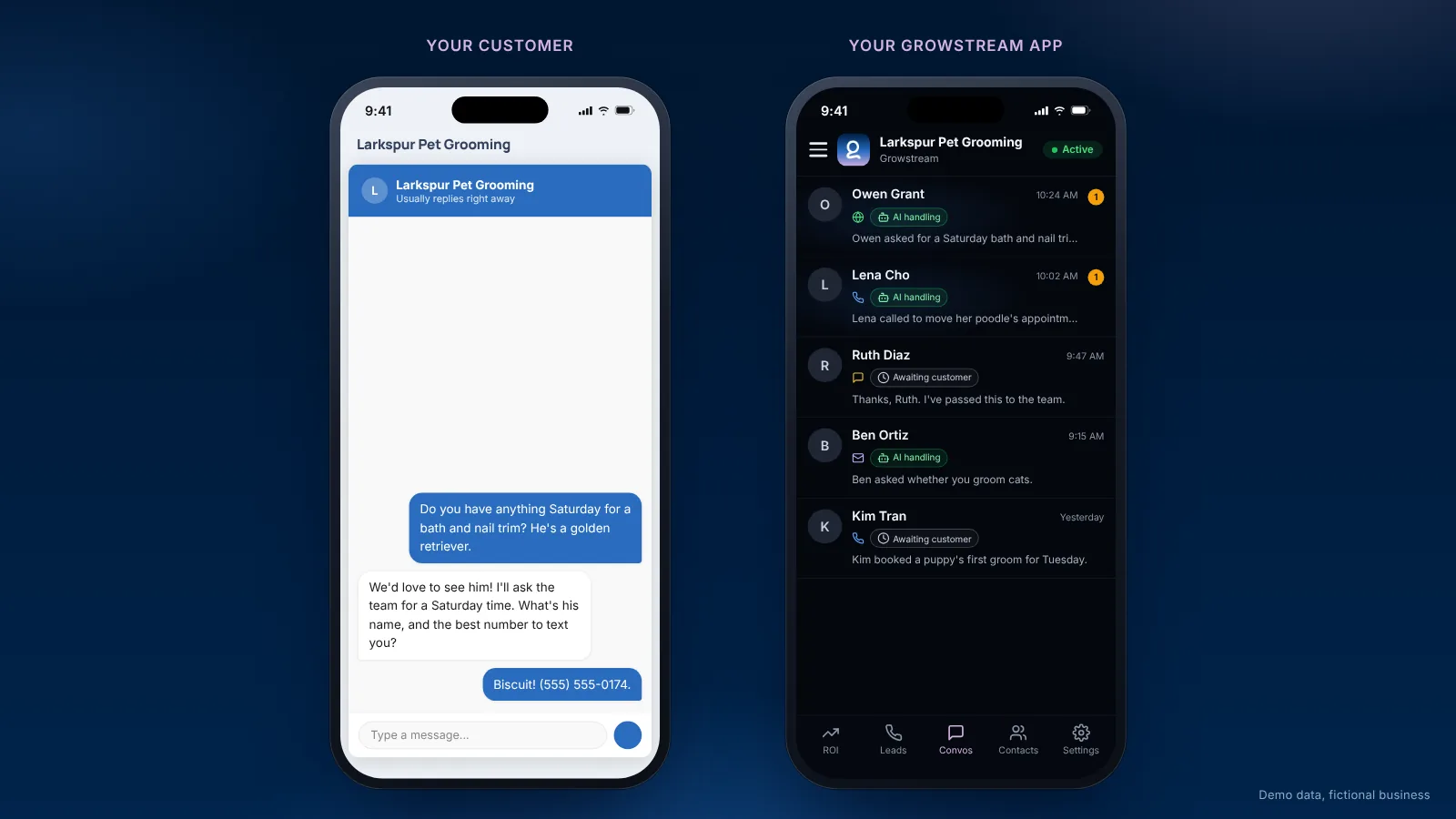
Answering the phone is only the start
A tool that only answers calls leaves the rest of the front desk to you: the texts, the website chat, the email inquiries, the booking and the follow-up. Customers reach you every one of those ways.
Growstream is built to run the whole front desk: one front desk for your calls, texts, website chat and email.
What it should do from day one
- Answer on your business number around the clock, and take several calls at once, with no busy signal.
- Learn your business from your website and details, and answer with your assistant's name, voice and greeting.
- Ask your intake questions on every call, text and chat.
- Book directly on Cal.com and Calendly, or share your booking link instead.
- Put callers through to your phone with a live transfer when they need a person.
- Keep call recordings and transcripts, and alert you by text and email for new leads, calls, missed calls and bookings.
Beyond calls
Two-way texting, and texts back to callers you missed, once texting is active. Guided web chat, with quick-reply buttons that lead visitors to a booking or a lead, built from your own setup. And email: Growstream watches your Gmail for new leads and website-form notifications, drafts replies for you to approve, and keeps every conversation alongside your calls and texts.
With your permission, it follows up by text with leads who haven't replied, and stops the moment someone opts out. Calls, texts, website chat and email land in one inbox, with your lead list underneath.
Questions to ask before you choose one
- Does it answer from your own business information, or from a script?
- Can callers reach a person when they need one?
- Which channels does it cover: calls only, or texts, website chat and email too?
- Is there a long-term contract?
- How long does setup take, and do you need to talk to anyone?
- Does it answer in Spanish?
Growstream's answers: it learns your business from your website and details; it puts callers through by live transfer if you allow it; it covers calls, texts, website chat and email; there are no long-term contracts; setup takes minutes, with no agency and no onboarding calls; and it answers in English and Spanish.
What it looks like for a real business
The Hudson, a wedding and event venue in Wichita, Kansas, has used Growstream since July 21, 2026. Harley, its Growstream front desk agent, answers calls, takes down what people need, and separates real event inquiries from everything else, so Blake Guthrie's team can follow up from one place. Read The Hudson's story.
Plans
Growstream's plans are Solo at $249, Team at $499 and Growth at $899 a month. Solo includes 500 AI voice minutes a month, Team 1,000 and Growth 2,000. Growstream Solo, Team and Growth are billed monthly. There are no long-term contracts. See Growstream plans and pricing, or find your trade on every industry.
Questions
How long does Growstream take to set up?
Minutes. Answer a few questions about your business and you're ready. No agency and no onboarding calls.
Do I have to sign a long-term contract?
No. Growstream Solo, Team and Growth are billed monthly, and there are no long-term contracts. Cancel anytime from your billing settings.
Does Growstream work with my calendar?
Yes. It books directly on Cal.com and Calendly, or shares your booking link instead.
Keep reading
- Growstream plans and pricing
- Growstream features
- Growstream for every industry
- The Hudson's story
- What each one does on a real call, what owners worry about, and why Growstream is built as a full front desk
- Turn Spanish on and Growstream answers in Spanish whenever a caller, texter or chat visitor speaks it
- The Hudson in Wichita put Growstream on its phones and website chat
Sources
© Growstream LLC