
Wedding venue answering service: answer every inquiry, even on a Saturday
The Hudson in Wichita put Growstream on its phones and website chat. Here's what that looks like, and how to set it up for your venue.
By the Growstream team · Published November 19, 2026
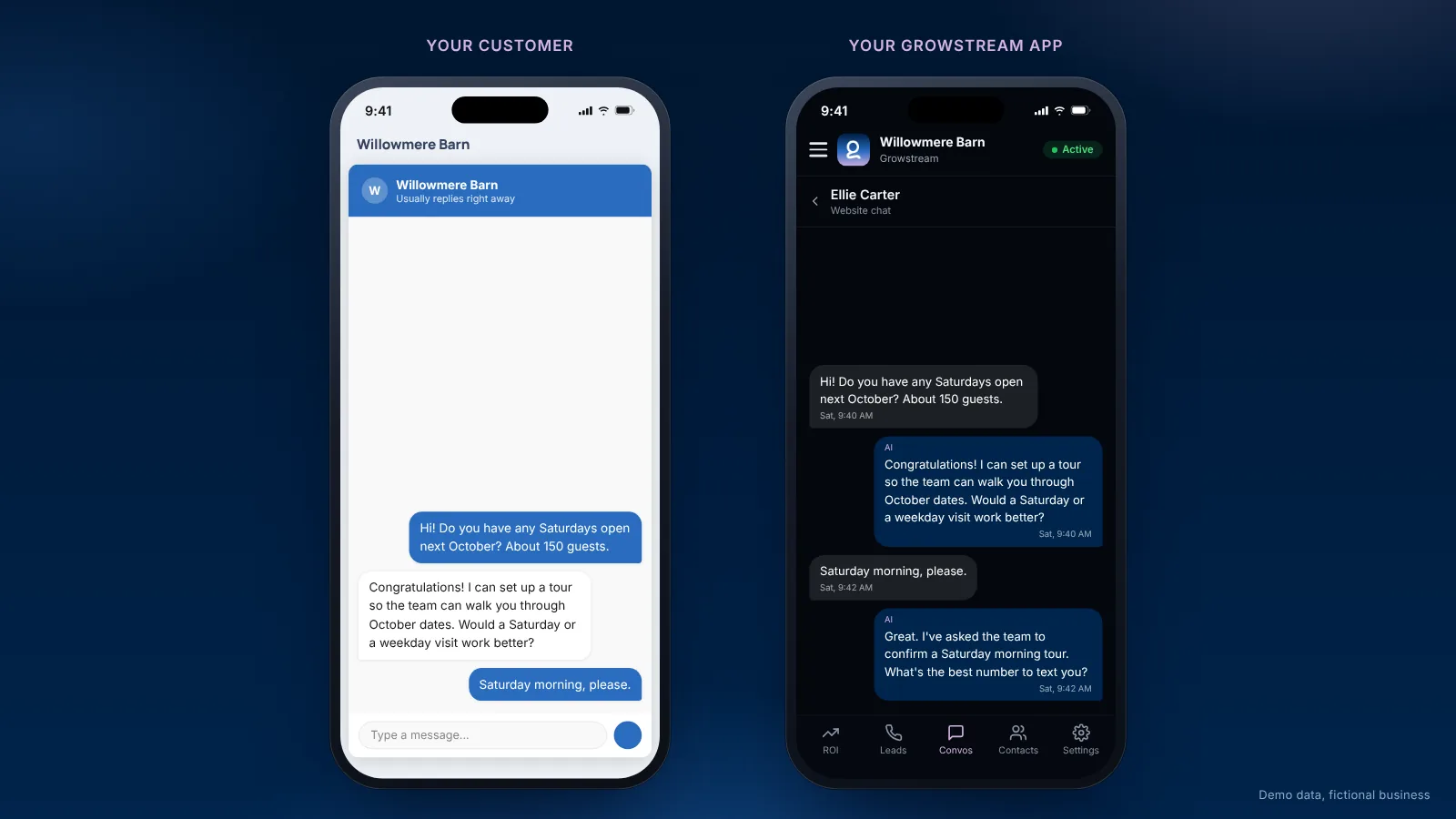
Couples call while you're running someone else's wedding
You're running a reception on Saturday evening when your phone rings twice: a couple asking about next fall. You're mid-tour on a Tuesday when a text asks if a June date is open. Late at night, a bride-to-be opens your website chat after her shift, and nobody's there. On Monday morning, two email inquiries are buried under vendor invoices.
Couples usually contact several venues at once, and they tend to tour the ones that reply first. Not every inquiry is a wedding. Vendors call too, and so do people asking for directions and clients who already have an event booked, all on the same phone line and website. But the inquiries that are weddings deserve an answer while the couple is still deciding.
One front desk for every way couples reach you
Growstream answers as your venue, with the name, voice and photo you choose for your front desk. It answers every call, text, chat and email, follows up and books tours, even mid-wedding.
- Calls: day or night, even when several couples call at once. It answers from your own venue details and asks the date, the guest count and what they're planning.
- Missed calls: miss a call and Growstream texts the caller back right away, so the conversation keeps going.
- Texts: two-way texting that asks the same questions you would.
- Website chat: quick buttons (Check a date, Request a tour, I have a question) lead a couple from browsing to giving you their details.
- Email: Growstream drafts each reply to an email inquiry, and you approve it before it's sent.
- Follow-up: with your permission, it follows up by text with couples who went quiet, and stops the moment anyone opts out.
Texting turns on once your plan is active.
Couples first, vendors apart
Growstream sorts each contact into Leads (people asking about an event) or Other (vendors, existing clients and similar calls), so your team starts with the people who might book. If the sort gets one wrong, your team can move it.
Each new inquiry reaches your phone right away, with a summary, a recording and a transcript.
Tours on your calendar, your policies in its answers
With Cal.com or Calendly connected, Growstream books the tour and sends the confirmation and reminder. Without a calendar, it takes the request for your team.
It states your dates, pricing and policies only when your venue details confirm them. Otherwise it takes the question for your team. Planners and pricing negotiations are left to you.
What it looks like at The Hudson
The Hudson, a wedding and event venue in Wichita, Kansas, has used Growstream since July 21, 2026. Harley, its Growstream front desk agent, answers every call to The Hudson's Growstream line, day or night. She answers questions using The Hudson's own information and notes what the caller needs. During business hours she can offer to connect the caller with someone on the team.
From July 21 to October 26, 2026, The Hudson's Growstream front desk captured 306 contacts, 243 of them inbound calls and 59 website chats, and sorted 72 of them as event inquiries.
Blake Guthrie, The Hudson's owner, put it this way: “We were up and running incredibly fast, and my team can manage it day-to-day while I still have complete visibility into every lead, every conversation, every follow-up.” Read The Hudson's story.
Harley is the name The Hudson chose for its front desk. You choose your own name, voice and photo when you set yours up.
Set it up for your venue
- Tell Growstream about your venue. Enter your website and Growstream learns your spaces, capacity, policies and FAQs. No website? Answer a few questions instead.
- Choose Wedding Venue when setup asks what kind of business you run. It gives Growstream the questions to ask couples about their date, guest count and ceremony.
- Your front desk is ready. A name, voice and photo are already picked for you. Keep them or change them.
- Call it yourself. Get your Growstream number and call it the way a couple would. Hear it answer as your venue, then forward your calls when you're ready.
No agency. No onboarding calls. Keep your number: forward your calls to Growstream. Texts to that number stay on your phone. See Growstream for wedding venues.
Questions
Can Growstream tell a couple from a vendor?
Yes. It sorts each contact into Leads or Other, and your team can move any it gets wrong.
Does Growstream book venue tours?
Yes. With Cal.com or Calendly connected, it books the tour on your real calendar. Without one, it takes the request and alerts you.
Will it quote our prices or confirm a date?
It states your dates, pricing and policies only when your venue details confirm them. Otherwise it takes the question for your team.
Can we give our front desk its own name?
Yes. The Hudson named theirs Harley. You choose your own name, voice and photo when you set yours up.
What if a couple wants to talk to a person?
If you allow live transfers, it puts the call through to you. If not, it takes their details so you can call back.
What does Growstream cost for a wedding venue?
Growstream's plans are Solo at $249, Team at $499 and Growth at $899 a month. See pricing for what each plan includes.
Keep reading
- Growstream for wedding venues
- The Hudson's story
- Growstream plans and pricing
- What to expect from an AI front desk, what to ask before you buy, and how Growstream covers calls, texts, chat, email, booking and follow-up
- What each one does on a real call, what owners worry about, and why Growstream is built as a full front desk
- Turn Spanish on and Growstream answers in Spanish whenever a caller, texter or chat visitor speaks it
Sources
© Growstream LLC