
First-time guest follow-up starts with the first call
Most follow-up plans start after Sunday. Here's how to welcome the guest who calls, texts or chats before they ever visit.
By the Growstream team · Published November 19, 2026
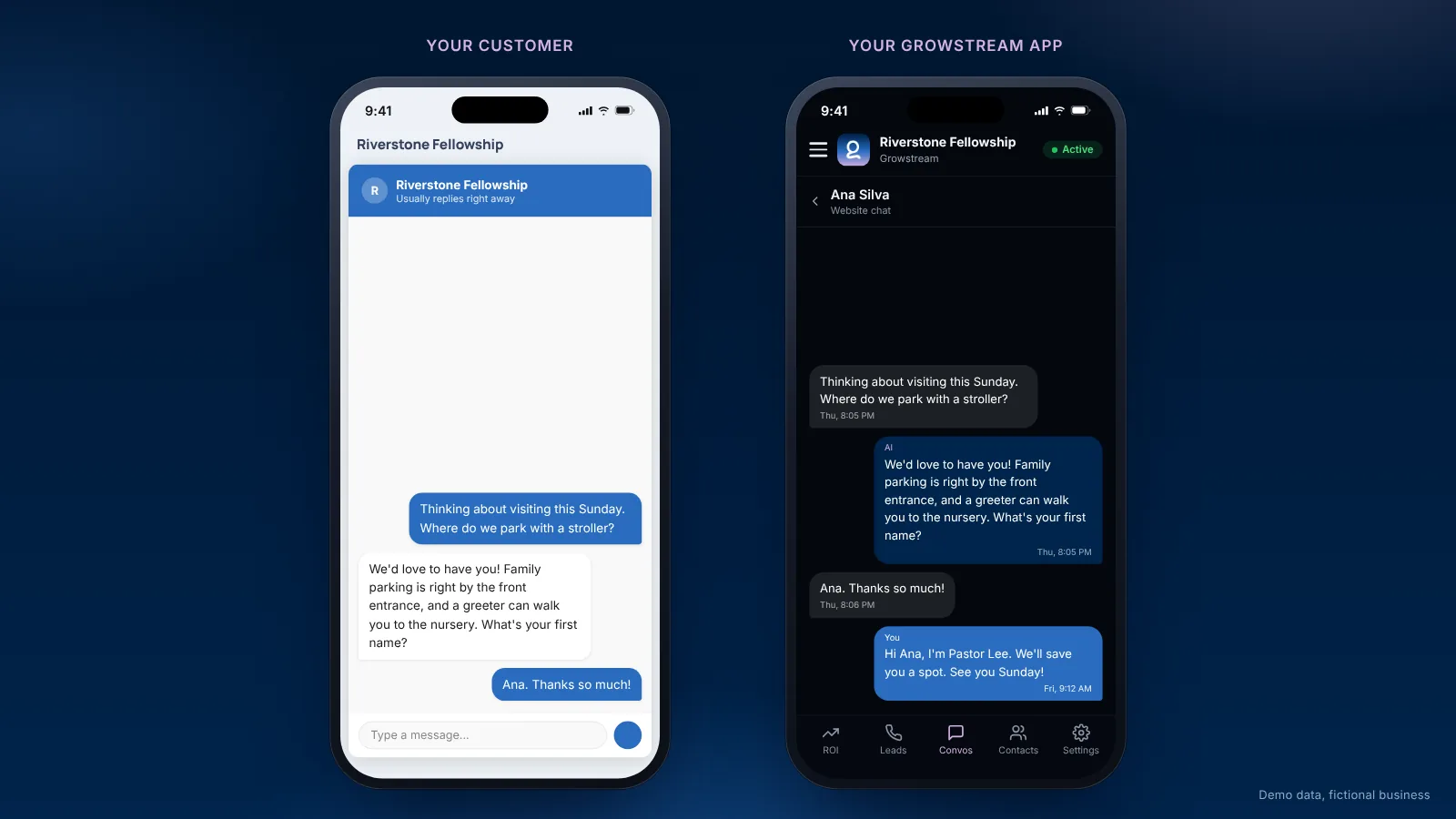
The guest who reaches out before Sunday
A family new to town calls on Saturday night. Someone opens your website chat to ask what time service starts. A first-time guest may only reach out once, and if nobody answers, they may not try again.
Most follow-up plans begin with a connection card on Sunday. The guest who calls, texts or chats before they visit needs a welcome too, and it starts with someone answering.
What a good first answer includes
Growstream answers right away with your service times, kids' ministry, parking and what to expect, from what you share. It answers in your church's name, on calls, texts, website chat and email.
The point of the first answer is to make the visit easy: where to park, where the kids go, what to wear and who will meet them at the door. Share those details once, and every guest who asks gets them.
Get their name and number
Growstream takes their name and number so your team can welcome them. Every conversation lands in one inbox your team can see, so the person who follows up knows what the guest asked.
Follow up by text and call
Growstream follows up by text so they hear from you again. It follows up by text and call with people who reached out, so a first-time guest hears from your church again. You choose whether it runs.
During Sunday services, Growstream answers the phone while your team is in the service, and if a call is missed, it texts the caller back right away.
Carriers require every number that texts to be registered, and Growstream handles it for you as a church.
Hand off to your team, and to Planning Center
With Planning Center connected, they land in Planning Center People and on your follow-up Workflow, and people already in Planning Center are greeted by name when they call.
Under Add new people to a Workflow, choose the Workflow your team uses for new guests. Each new person Growstream adds gets one card in it, so your team sees who to follow up with. Read Growstream now integrates with Planning Center.
A simple first-week plan
Here's one way to put it together. Adjust it to the way your church already welcomes people.
- The first contact: Growstream answers the call, text or chat, shares what to expect, takes their name and number, and your team gets an alert.
- The next day: Growstream's follow-up text lets them know you're glad they reached out.
- That week: the guest's card is on your Workflow in Planning Center, so the right person on your team sees it.
- Before Sunday: someone from your team calls to welcome them by name and offers to meet them at the door.
The personal call is still yours to make. Growstream makes sure you know who to call and what they asked.
Questions
Does this replace our connection card?
No. It catches the people who call, text or chat before they visit, and hands them to the same follow-up your team already runs.
Can follow-up for new guests happen automatically?
Yes. Growstream follows up by text and call with people who reached out, and you choose whether it runs. Texting starts once your plan is active and your number is registered.
Does Growstream work with Planning Center Workflows?
Yes. Choose the Workflow your team uses for new guests, and each new person Growstream adds gets one card in it.
Keep reading
- Growstream for Churches
- Growstream now integrates with Planning Center
- How your church connects every caller, text and visitor
- Growstream plans and pricing
- Why church calls go unanswered, and how to answer every one
© Growstream LLC