
Planning Center AI: calls, texts and follow-up that sync with your church
Growstream now integrates with Planning Center. New guests who call, text or chat land in Planning Center People and on your follow-up Workflow, and your front desk answers event and sign-up questions from Planning Center.
By the Growstream team · Published November 18, 2026
What's new
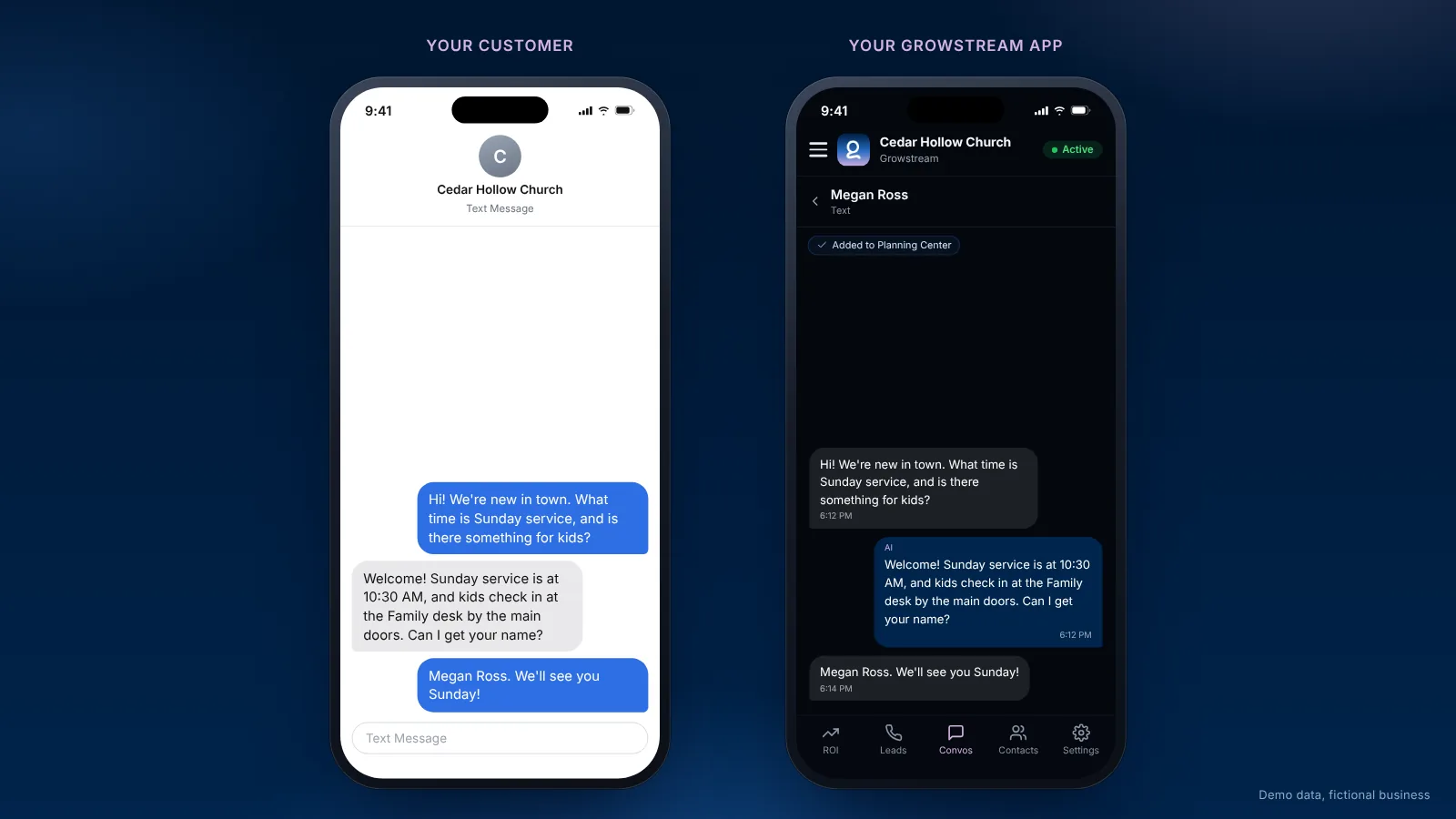
Growstream is your church's front desk for calls, texts, website chat and email, and it now connects to Planning Center. Each new person who reaches your church by call, text or chat lands where your team already works: in Planning Center People, and on the follow-up Workflow you choose.
It's still the whole front desk: it texts back missed calls and follows up by text and call, and with Cal.com or Calendly connected and booking turned on, it schedules meetings with your staff and texts the confirmation and a reminder.
A new guest reaches out and lands in Planning Center People
When someone new calls, texts or chats, Growstream looks for them in Planning Center People by phone number, then by email. If they're not there, it adds them, usually within about 10 minutes.
Someone who doesn't give a name is added as Guest, with their phone number, so your team can rename them. Someone already in Planning Center is never added twice.
Your follow-up team gets a Workflow card
Choose the Workflow your team uses for new guests, and each new person Growstream adds gets one card there, so your team sees who to follow up with. Members already in Planning Center never get a card.
Members are greeted by name
When someone already in your Planning Center calls or texts, Growstream greets them by name. To turn this off, open Contacts and turn off Greet known contacts by name.
Event and sign-up questions, answered from Planning Center
Growstream reads your public events for the next 60 days, the ones published to Church Center, and your sign-ups. So when someone asks “When is the retreat?”, your front desk gives the date, time and place, says whether the sign-up is open or closed, and shares the link.
If someone asks about an event that isn't in Planning Center, your front desk says it doesn't see it on the calendar and offers to have someone call them back. It never makes one up.
Your church's data stays safe
- People, Calendar and Registrations only. Growstream never reads or touches Giving.
- It never deletes anyone in Planning Center or changes what's already there. For someone already in People, it can add a phone number or email they don't have yet.
- It copies only names, phone numbers, email addresses and active status, so your front desk knows who's calling, and only your church's Growstream account owner can see that copy.
- What people say in a call, text or chat stays in Growstream.
- Your connection is encrypted, and disconnecting deletes the copy right away.
How Growstream fits with Planning Center's own tools
Planning Center has its own AI connection, which lets your staff ask AI tools about your church's data, and its own texting, which sends messages to your lists. Growstream is the front desk the public reaches: it answers calls, texts, website chat and email 24/7, then hands each person to your team in Planning Center.
Connect in a few minutes
- In Growstream, open Settings → Connectors → Planning Center and tap Connect Planning Center.
- Sign in to Planning Center as a church admin who can manage People, and tap Allow.
- Choose the Workflow new guests go to, or leave it on Don't add to a Workflow.
Planning Center is for church accounts, and your Growstream account owner connects it.
Every campus
Each campus can connect your church's Planning Center, so new guests from every campus land in Planning Center People, and the Organization Hub shows your leadership every location.
Hear it for yourself
Call the demo church on Growstream for Churches. It answers from a sample Planning Center, so you can ask about events and sign-ups the way your guests would.
Questions
Does Growstream read our giving?
No. Growstream asks Planning Center for People, Calendar and Registrations only, and never reads or touches Giving. Your front desk shares only the giving link you give it.
Will it change or delete anyone in Planning Center?
No. It never deletes anyone or changes what's already there. For someone already in People, it can add a phone number or email they don't have yet.
Are people who reached out before we connected added?
No. People who reached out before you connected aren't added, unless they get in touch again after you connect. Then they're added once.
Does Growstream send mass texts?
No. Growstream answers and follows up with the people who reach out to your church. Keep your texting tool for announcements.
Can each campus connect?
Yes. Each campus can connect your church's Planning Center, so new guests from every campus land in Planning Center People.
Keep reading
- Growstream for Churches
- The Organization Hub
- Growstream plans and pricing
- First-time guest follow-up starts with the first call
- Why church calls go unanswered, and how to answer every one
- How Growstream answers calls, texts, website chat and email for your church, and gets every person to the right member of your team
Sources
© Growstream LLC